How Cliprift Encrypts Your Clipboard
A technical walkthrough of Cliprift's encryption model: transport security, encrypted storage, passphrase-derived keys, recovery codes, and what zero-knowledge protection means in practice.
Security copy is cheap. Trust is not. Most software can say the word encrypted. Far fewer products explain what is encrypted, when it is encrypted, where the keys live, and what happens when something goes wrong.
We think clipboard software has to be especially clear about that. Your clipboard is not a public feed. It is where staging URLs, customer replies, snippets of code, invoice details, recovery codes, support notes, and half-finished ideas pass through on the way to somewhere else. If a product syncs that material across devices, it inherits a serious trust responsibility.
That is why we have tried to design Cliprift's security model as a layered system instead of a slogan. This post walks through those layers, what they protect, and what the long-term zero-knowledge architecture is meant to guarantee.
A lot of products talk about encryption as if it were one binary setting. In practice, there are multiple moments where data needs protection. The network path matters. Storage on the server matters. Storage on the device matters. Key management matters even more, because the strongest cipher in the world does not help if the wrong system ends up controlling the key.
For Cliprift, we think about protection in layers. The first layer is transport security. The second is encrypted storage. The third is sensitive-data handling and retention controls. The fourth, for users who want the strongest privacy guarantees, is passphrase-based clipboard encryption built around a zero-knowledge key model.
The right question is not just "is it encrypted?" The right question is "who can decrypt it, under what conditions, and how much do I have to trust them?"
When Cliprift moves clipboard data between your devices and our infrastructure, that traffic is protected in transit with modern TLS. That matters because clipboard sync is not a one-time file upload. It is an ongoing stream of small, frequent interactions: registering a device, sending a new item, pulling fresh history, acknowledging delivery, and recovering after a network drop.
If you use Cliprift on public Wi-Fi, move between office and home networks, or switch between desktop and mobile during the day, transport encryption is the first line of defense against interception. It is table stakes, but table stakes still matter. Security systems fail when teams treat the basics as too boring to mention.
If you want the broader security overview, the covers the infrastructure side in more detail, including rate limits, server hardening, and responsible disclosure.
The second layer is storage protection. Cliprift stores synchronized clipboard data in encrypted systems instead of treating server persistence like an afterthought. Small items can live inline in the database. Larger items can be stored through S3-compatible object storage. In both cases, the baseline requirement is the same: if data is sitting still, it should still be protected.
That sounds obvious, but this is where many products quietly ask for more trust than they acknowledge. A user sees a clean sync UI and assumes the storage model is equally careful. Good security writing should close that gap instead of hiding behind vague promises.
Encryption at rest does not mean a provider can never access data. It means stored data is not left exposed in plaintext if a disk, backup, or storage layer is compromised. That distinction matters, because it is the bridge to the next and more important layer: controlling who can actually turn ciphertext back into readable clipboard content.
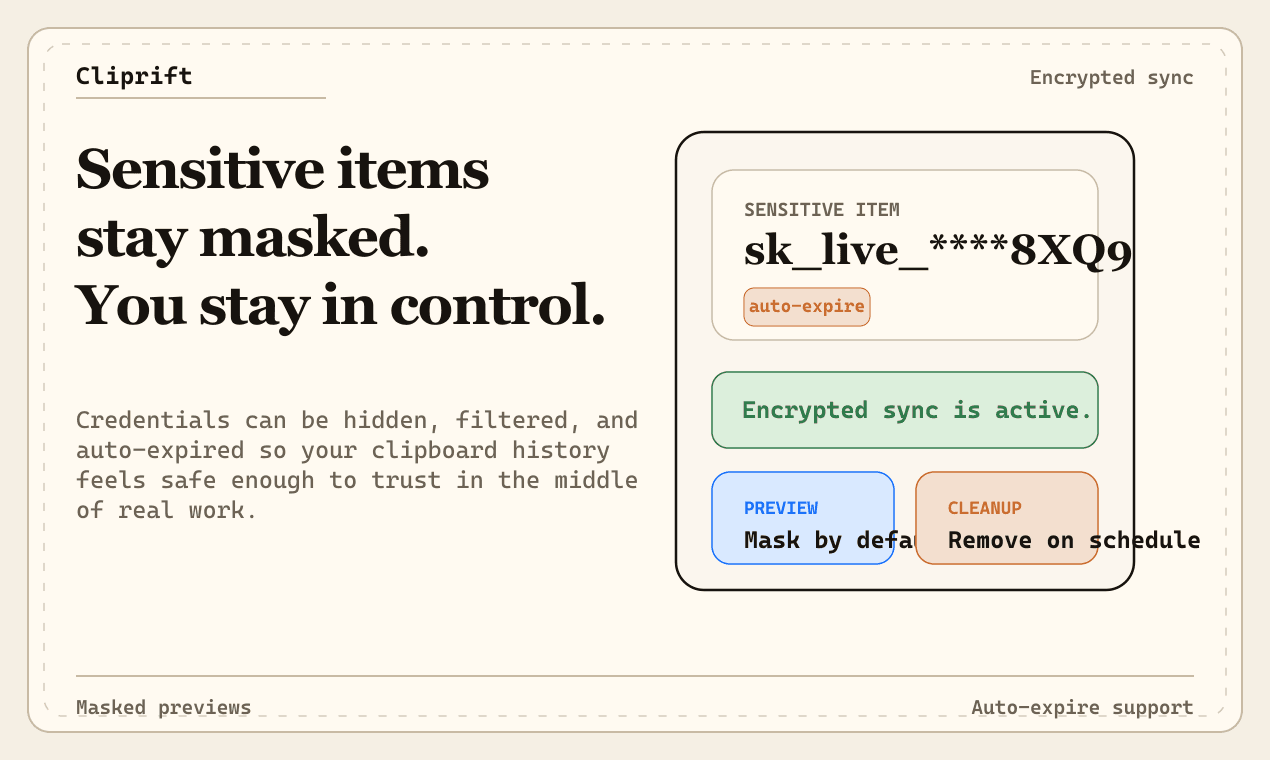
Not every security decision is about cryptography. Some of the best privacy wins happen before a clipboard item becomes durable history at all. Cliprift includes sensitive-content handling so obvious credentials and similar risky payloads can be treated differently from ordinary text. Masking, exclusion, and auto-expire behavior are part of the trust model because users should not have to manually babysit every dangerous copy event.
We also think retention controls matter here. Security is not only about preventing unauthorized access. It is also about reducing unnecessary long-term exposure. A password, token, or recovery code does not become safer because it has been sitting in history for three months.
That is part of why the focuses on ignored apps, retention windows, and sensitive-item handling alongside encryption itself. Good privacy design is about the full lifecycle of copied data, not just one cipher choice.
The strongest version of Cliprift's trust model is the passphrase-based clipboard encryption path. In that model, encryption is not only something the infrastructure does for you. It becomes something your device participates in directly through key derivation, key wrapping, verification, and recovery flows that are tied to your passphrase instead of a hidden server-controlled secret.
The practical goal is simple: you should be able to unlock your encrypted clipboard history on a new device with knowledge only you control, while the server stores the material required to synchronize encrypted blobs and recovery metadata without learning your passphrase.
That architecture is more complicated than plain encrypted storage, but it solves the deeper trust problem. The point is not only to say that data is encrypted. The point is to ensure the power to decrypt it follows the user instead of being silently centralized.
Cliprift's encryption model is built around a passphrase-derived key instead of a server-generated unlock secret. When users enable clipboard encryption, the intent is that the passphrase is never the thing being handed around the backend. Instead, a key is derived on the client from the passphrase plus stored derivation parameters, and that derived key becomes the basis for protecting the clipboard payloads and validating that the right secret was entered on another device.
That distinction matters for two reasons. First, it reduces the amount of highly sensitive material that ever needs to move off-device. Second, it makes cross-device unlock behavior more understandable: the reason a new device can open the same encrypted history is that it can derive the same key from the same user-controlled secret, not because a support system or background service is quietly handing it privileged plaintext.
If you have already read , this is the technical expression of the same product standard. We do not want sync to feel magical because the user is forced to trust invisible behavior they cannot reason about. We want it to feel trustworthy because the design is legible.
One of the hardest parts of zero-knowledge-style systems is recovery. If only the user knows the passphrase, what happens when the passphrase is lost? The lazy answer is to build a hidden bypass. The trustworthy answer is to acknowledge the trade-off and design recovery deliberately.
Cliprift's approach uses recovery codes as explicit backup credentials rather than secret administrator access. Recovery codes are meant to restore the ability to unlock encrypted data without teaching the system that the safe thing to do is keep a universal spare key around forever. Each code is single-use, which limits blast radius and makes regeneration a meaningful event instead of a cosmetic one.
That trade-off is important enough to say plainly: if a system promises true user-controlled encryption and also promises effortless account recovery with no user-held backup material, one of those promises is probably weaker than it sounds. Recovery codes are less convenient than a hidden override. They are also more honest.
Clipboard security cannot only work for short text. Real usage includes screenshots, copied images, files, and other larger payloads. That means the encryption design has to survive the operational realities of bigger objects, presigned uploads, retry flows, and partial-device recovery without quietly dropping the security story the moment the payload gets inconvenient.
That is one reason we care about key management and migration mechanics instead of treating them as obscure implementation details. Users should not need to choose between strong protection and full-fidelity workflows. If encryption only works for tiny happy-path text, it is not a real clipboard security system.
The same principle applies to speed. Good security should not make the product feel fragile. The ideal state is boring in the best sense: copy, sync, search, recover, and move on. Security should be doing serious work in the background without turning every paste-worthy moment into a ceremony.
A lot of product teams treat encryption setup as the end of the story. It is not. Over time, users need to rotate passphrases, regenerate recovery material, add new devices, and recover from earlier design assumptions that are no longer good enough. If the system cannot evolve safely, it will eventually force users to choose between convenience and security at exactly the wrong moment.
That is why we think migration and rotation deserve real product work. Re-encrypting older clipboard history, handling larger encrypted payloads, preserving user control during key changes, and making recovery state explicit are all part of whether the model is trustworthy in practice. Security is not only a setup screen. It is lifecycle quality.
The easiest place for trust to break is in the edge cases: the first new device, the forgotten passphrase, the stale recovery pack, the old history that predates a stronger model, the item that is too large for an inline path, or the moment a user asks the product to become stricter after months of normal use. Those are exactly the moments the architecture has to hold.
Zero-knowledge is one of the most overused phrases in software. For us, the practical meaning is narrower and more useful. It means designing the system so the service can synchronize the material it needs to do its job without owning the user's passphrase and without pretending operational convenience is more important than key separation.
In plain language, the service should know enough to route encrypted clipboard data, persist encrypted blobs, store wrapped recovery material, and enforce account-level behavior. It should not need your plaintext passphrase sitting next to that data in order to make the model work.
- The server can coordinate sync, device pairing, and encrypted blob storage.
- Your devices can derive or unlock the material needed to read encrypted clipboard history when you provide the right secret.
- Recovery stays explicit through user-held codes instead of invisible administrator backdoors.
- Rotation remains possible because key-management state is treated as a first-class product surface, not a hidden implementation detail.
The point of this post is not to make Cliprift sound impenetrable. The point is to make the trust model understandable enough that a technical user can evaluate it with open eyes. Good encryption should make a product feel safer, but good explanations should also make a product feel less mysterious.
If you care about privacy, you should ask hard questions. What happens to my clipboard data on the wire? What sits on the server? What unlocks a new device? What happens if I forget my passphrase? Can the product rotate to stronger defaults over time? We want Cliprift to earn trust by answering those questions, not by avoiding them.
If you want the architecture-level reference, start with the , then review the and . If you want to see how the broader product vision fits around that trust model, read .
We want Cliprift to be fast enough that you stop thinking about sync, and trustworthy enough that you stop worrying about where copied data goes next. Encryption is a big part of that, but not because it looks good in a comparison table. It matters because the clipboard touches too much real work to ask for blind trust.
If that is your bar too, you can , explore the , and decide whether the product earns a place in your workflow. We would rather be held to a high security standard than be praised for vague promises.
Try Cliprift Free
Copy on one device, paste on another. Searchable history, smart detection, and instant sync across all your devices.